


MagellanTV Documentaries
3.8732.00 Reviews
App Specs
- Version
- Varies with Device
- Updated On
- License
- Free
- Downloads
- 1,000,000+
- Developer
- MagellanTV Documentaries
- Categories
- Education
- Platform
- Android
Screenshots
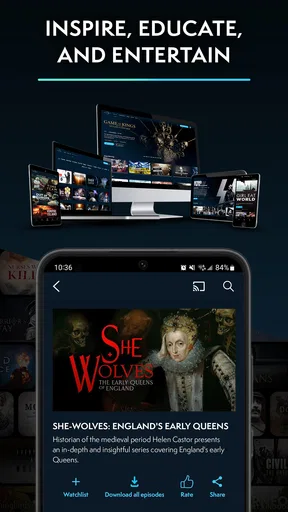
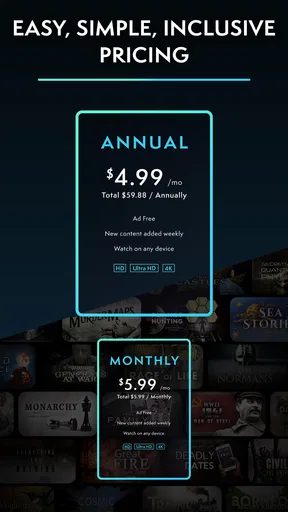
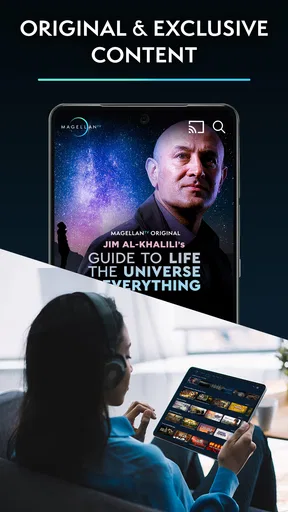
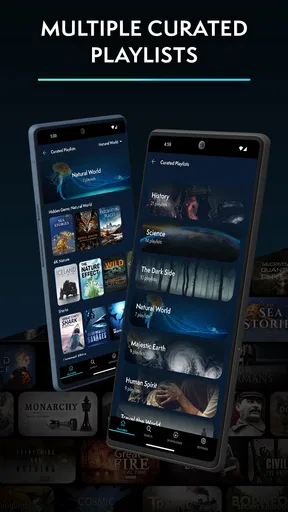
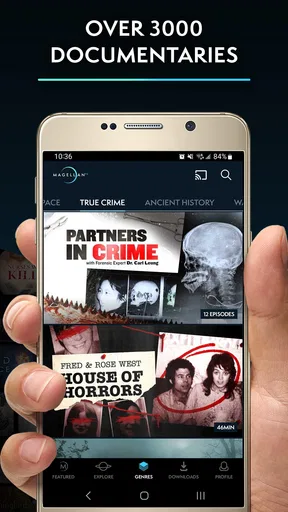
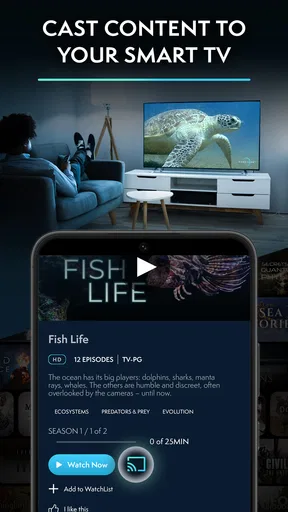
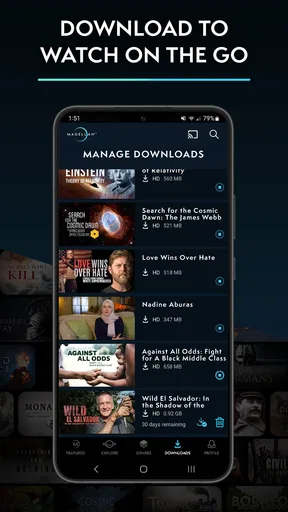
 Analysis by AppCompare
I approached MagellanTV Documentaries as an app for people who want something more thoughtful than casual scrolling. Developed by MagellanTV Documentaries, it brings together educational viewing across history, science, true crime, paranormal subjects and related documentary topics. That range is its biggest attraction, but it also means the experience depends heavily on how you choose what to watch. If you open it without a plan, the library can feel broad rather than immediately personal.
My overall impression is positive, especially for viewers who like learning through long-form video instead of short explainers. It is free to install, rated for Everyone 10+, and available on devices running Android 8.1 or later. The app has passed the one-million-install mark and holds an average rating of 3.8 from roughly 3,700 ratings, so it clearly has an established audience while leaving room for a few rough edges.
Getting past the first points of friction
The first thing I would tell a new user is not to judge the service by the opening few minutes. Documentary apps often make people expect an immediate, perfectly organized queue, but MagellanTV is better approached as a catalogue to explore. The useful question is not simply “What is popular?” but “What kind of evening do I want?” A focused history session, a science film, and a true-crime investigation create very different moods.
That distinction matters because documentary viewing is more demanding than opening a short social video. A title may require attention, patience and a willingness to follow a subject that becomes interesting gradually. I found the app more rewarding when I selected one theme before browsing rather than jumping between unrelated subjects. This is a small habit, but it reduces the feeling that there is too much to choose from.
Another common sticking point is expecting every title to suit every viewer in the household. The age guidance is Everyone 10+, but that does not mean each subject will feel comfortable for children or younger teenagers. True crime and paranormal material can have a darker tone even when the overall app carries that broad rating. I would preview the description and subject before handing the device to a child, particularly if the app is being used for family learning.
The free entry point is helpful for testing the catalogue before committing. At the same time, in-app purchases range from $5.99 to $59.99 per item, so I would pay attention to any purchase prompt instead of tapping through automatically. The practical advantage of starting free is that you can decide whether the documentary selection and viewing style fit you before spending anything.
What to check before blaming the app
When a video refuses to start, pauses repeatedly or appears not to load correctly, I begin with ordinary checks rather than assuming the catalogue is broken. I confirm that the device is connected to a stable network, then try another video. If one title works while another does not, the problem may be limited to that item or to the current session rather than the entire application.
Worth Reading Before You Choose

EA SPORTS FC Mobile 26 Is a Bigger Football Game, but It Takes Time

Flipboard Shows What News Apps Must Do Beyond the Feed

Switching to Android Auto Means Rethinking Your Driving Routine

Google Calendar Makes a Crowded Week Easier to Manage

Ludo King Makes the Most of the Minutes Between Plans

Baby Panda World Brings Quick Play to Modern Phones, but Its Game Library Feels Busy
I also check whether other apps can stream normally. A browser page that loads slowly or another video service that buffers is a useful clue: the connection may be the real issue. Switching between Wi-Fi and mobile data, where appropriate, can help identify whether the problem belongs to the local network. I would avoid repeatedly tapping the play button, because that can make a temporary delay look like several separate failures.
Device compatibility is another simple checkpoint. The app requires Android 8.1 or later, so an older phone may not be a suitable test device even if it can still install other educational apps. On a compatible device, I would close the app completely, reopen it and check that the operating system has enough free storage for normal operation. I would also make sure the app itself is current through the device’s usual app store.
These checks are especially useful on older hardware. Documentary video can place more demand on a phone than reading an article or playing audio. A device may technically run the app while still struggling when several other apps are active. Closing unused applications and restarting the phone are unglamorous steps, but they often separate a temporary device problem from an issue worth reporting.
A calmer setup for regular viewing
My preferred setup is to decide when and where the app will be used before building a viewing habit. If I am watching at home, I choose a stable connection and keep the phone or tablet positioned where I will not accidentally lock the screen. If I am using it during a quiet break, I select a shorter-feeling subject rather than beginning an especially dense historical investigation with only a few minutes available.
I would also set expectations around sound. Documentary narration is often central to understanding the material, and a noisy room can make the app seem less clear than it really is. Headphones or a quieter space can improve the experience more than changing settings repeatedly. This is particularly true for science and history programmes where names, dates and explanations carry more value than visual spectacle alone.
For a family device, I recommend agreeing on the subject first. The broad catalogue makes spontaneous browsing tempting, but a child who expects a light science programme may be unsettled by a darker true-crime or paranormal selection. Choosing together turns the app into a shared learning tool instead of leaving the youngest viewer to interpret every thumbnail alone.
People also ask whether this is a replacement for a general streaming service. In my view, it is better considered a specialist addition. A mainstream service may be stronger when you want scripted entertainment, current popular releases or a wide mix of television. MagellanTV makes more sense when the purpose is documentary viewing and you want to stay within that lane. Its focus is an advantage for curious viewers, but a limitation for anyone looking for one app to cover every kind of entertainment.
Recovering when a viewing session goes wrong
If playback stops halfway through, I first note what happened: did the picture freeze, did the app close, or did the video return to browsing? Each symptom suggests a different next step. A frozen picture points me toward the connection or device load. A sudden closure makes a full restart more sensible. A return to the catalogue may be easier to solve by reopening the same title rather than repeatedly restarting the phone.
I avoid clearing app storage as an early fix. That kind of reset can remove local session information and create extra sign-in or setup work without solving a network problem. I would reserve more disruptive troubleshooting for cases where restarting, checking the connection and trying another title have failed. The goal is to change one thing at a time so I can tell which action helped.
When a title will not play but other documentaries do, I would record the title name and the exact behavior before contacting support through the normal channel associated with the app. That description is much more useful than saying only that “the app is broken.” Include whether the issue happens on one network or several, whether it repeats after reopening, and whether another title works on the same device.
There is also a practical recovery strategy for interrupted learning. If I am using a documentary for a personal study session, I write down the last topic or section I remember before trying to resume. That way, even if the app returns me to a catalogue screen, I can continue without wasting time searching through the whole subject again. It is a small workaround, but it makes the service more dependable for research-like viewing.
For a shared viewing session, I would not keep retrying indefinitely while everyone waits. Move temporarily to another title, confirm whether the issue affects more than one video, and return later if necessary. This is one place where a general streaming service may feel smoother: it may offer more immediate alternatives when a particular documentary is unavailable or inconvenient at that moment.
When the app is not really the problem
Streaming failures are often blamed on the application because that is the visible part of the experience. In reality, a crowded home network, weak mobile signal, low device storage or an outdated operating system can produce similar symptoms. If the same phone struggles with several video services, replacing the app will not address the underlying cause.
Account and purchase confusion can also look like a technical failure. Because the app is free to install but includes paid items, I would check which account is active before assuming that a purchase or access state has vanished. I would not make a second purchase simply because the first screen is unclear. First close and reopen the app, confirm the account details shown by the device and keep any transaction information available.
Expectations can create another false diagnosis. Someone seeking rapid, bite-sized lessons may find a documentary app too slow, even when the video is working exactly as intended. Likewise, a viewer who wants a dramatic thriller may not enjoy an educational programme simply because it includes a mysterious subject. The app’s value comes from sustained viewing and explanation, not from turning every topic into fast entertainment.
There is a similar distinction between educational curiosity and formal study. I would happily use the app to introduce myself to a historical period, understand the basics of a scientific question or find a new topic to investigate. I would not treat a documentary as the only source for an academic assignment. A film can organize a subject clearly while still presenting one editorial approach, so important claims should be checked against books, classroom materials or reliable reference sources.
The same caution applies to true crime and paranormal programming. These categories can be engaging conversation starters, but they are not automatically substitutes for legal records, scientific evidence or professional advice. I see the app as a way to explore stories and ideas, not as a final authority. That is a meaningful trade-off: the catalogue can spark interest, while deeper verification remains the viewer’s responsibility.
Who will get the most from it
I think MagellanTV is a strong fit for adults and older children who enjoy learning at their own pace. It suits the person who starts with one question and is happy to follow connected subjects afterward. A history fan can browse beyond familiar events, a science-minded viewer can use a film as a starting point for further reading, and someone interested in unusual stories can explore paranormal subjects without leaving a documentary-focused environment.
It is also useful for low-pressure evenings when I want something more substantial than background entertainment. I can choose a subject with enough depth to hold my attention without committing to a multi-season fictional series. That makes it a good companion for occasional viewing, especially when I want the screen time to leave me with a new idea rather than only a plot to remember.
I would be more cautious recommending it to someone who wants a very precise curriculum, live instruction, quizzes or a formal progress system. A documentary library can support learning, but it is not the same as a structured course. I would also suggest another type of service for viewers whose priority is the newest mainstream entertainment, children’s programming with tightly controlled subject matter or a broad all-purpose catalogue.
My practical verdict after using it
MagellanTV Documentaries works best when I treat it as a focused educational video library rather than a universal streaming replacement. Its subject range gives curious viewers plenty of directions to explore, and the free installation lowers the risk of trying it. The developer’s emphasis on documentary content is clear in the way the app is positioned, and that specialization is more useful than a huge but unfocused entertainment catalogue for the right audience.
The main friction comes from choosing wisely, checking basic device and connection conditions, and remembering that the age rating does not make every topic equally suitable for every child. Paid items also deserve a deliberate look before purchase. None of those points makes the app a poor choice, but they do reward a user who reads the screen carefully instead of expecting every session to be automatic.
My recommendation is straightforward: try the free experience if you genuinely enjoy history, science, true crime or paranormal documentaries, then judge it by whether you can find subjects you would return to. Start with a clear viewing goal, test more than one title if playback misbehaves, and keep the app’s educational role in perspective. If you want thoughtful documentary discovery and are willing to browse with intention, this is worth keeping on your device.
Pros
- Focused library of high-quality documentaries across many subjects.
- Minimal distractions
- with an interface designed for relaxed viewing.
- Useful curated collections make interesting films easier to discover.
- Supports offline downloads for watching without a reliable connection.
- Available on multiple devices
- making it easy to continue viewing elsewhere.
Cons
- The catalog may feel limited compared with larger general-purpose streaming services.
- Some documentaries or features can vary by country or subscription plan.
- New releases may arrive less frequently than on broader streaming platforms.
- Video quality and playback options can depend heavily on your internet connection.
- The app is primarily documentary-focused
- so casual entertainment choices are limited.
FAQs for MagellanTV Documentaries
What is MagellanTV Documentaries?
MagellanTV Documentaries is a streaming service focused primarily on documentaries, with a catalog covering history, science, technology, nature, true crime, biographies, and other factual subjects. Its mobile app lets you browse programs, watch episodes and films, save content for later, and continue viewing across supported devices, depending on your subscription and account configuration.
Does MagellanTV Documentaries require a subscription?
Yes, most of the platform’s full catalog requires a paid subscription after any promotional trial or introductory offer. The exact price, billing period, available trial, and included features can vary by country, operating system, and whether you subscribe through the website or an app store. Check the current terms before confirming payment, especially the renewal conditions.
Can I download documentaries for offline viewing?
Offline availability may depend on the title, device, app version, subscription plan, and regional licensing restrictions. If downloads are supported for your account, you generally need to open the documentary in the app while connected to the internet and select the download option. Downloaded programs may expire or require periodic online verification.
Which devices support the MagellanTV Documentaries app?
MagellanTV is designed for mobile viewing on compatible Android and iOS devices, and the service may also be available through supported web browsers, smart televisions, streaming platforms, or casting features. Compatibility can change as operating systems and app versions are updated, so review the current store listing and device requirements before downloading.
Is MagellanTV Documentaries suitable for children and families?
The service offers educational and family-friendly documentaries, but it also includes subjects such as crime, war, death, politics, and mature historical events. Parents should review individual titles, descriptions, ratings, and content warnings before allowing children to watch. Availability of parental controls or profile restrictions may vary by platform and account type.


